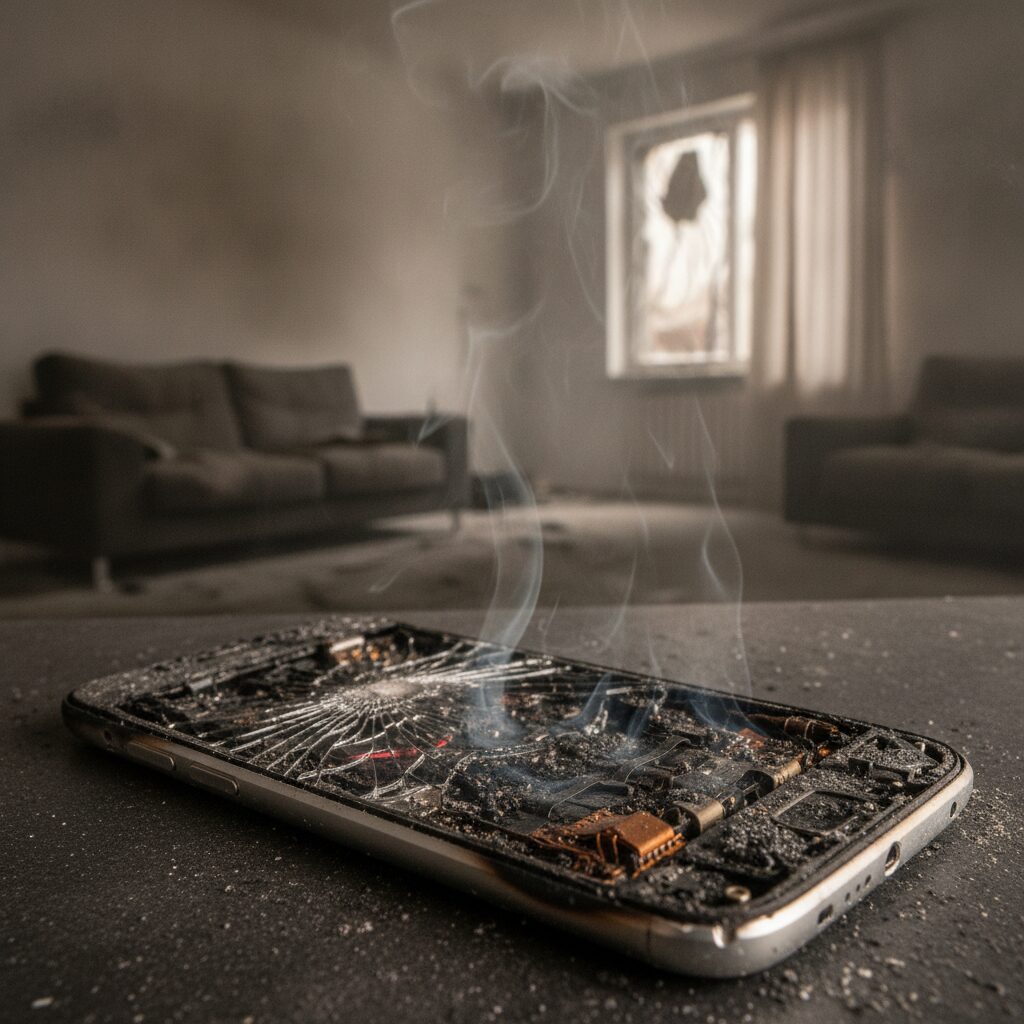
After a fire, most people focus on the visible damage: charred framing, blackened walls, soaked carpet. But the quiet casualties are often sitting on desks and shelves, looking almost normal. A laptop that powers on may still be corroding from the inside. A television that seems fine may fail in three weeks. For anyone dealing with Fire Damage Restoration Bloomfield Hills, understanding what smoke actually does to electronics can save thousands of dollars and prevent a second round of headaches.
Smoke is not just dirty air. It is a cloud of microscopic particles, acidic residues, and oily compounds that travel far beyond the room where the flames started. Those particles settle into vents, circuit boards, connectors, and ports. Over time, moisture in the air activates the acids, and metal contacts begin to corrode. The result can be intermittent glitches, sudden failures, or complete data loss.
Small business owners face the highest stakes, because servers, point-of-sale systems, and workstations hold records that keep the doors open. Developers and property managers have to think about shared equipment, building controls, and tenant belongings. Homeowners worry about family photos, work laptops, and gaming consoles. This guide walks through what happens to electronics in smoke, what to do in the first hours, what can be saved, and how to document everything so your claim holds up.
Why Smoke Is So Hard on Electronics
Electronics are built from tightly packed components that depend on clean metal contacts and stable conductivity. Smoke attacks both. Burning plastics, wiring insulation, and household materials release chlorides and other acidic compounds that cling to surfaces as a fine film. On their own these residues may be inert, but once humidity rises, which happens naturally or when firefighters apply water, they become conductive and corrosive.
Heat adds another layer of risk. Even devices far from the flames can be exposed to temperatures high enough to warp solder joints, damage lithium batteries, or degrade adhesives. Cooling fans pull smoky air straight into the casing, which is why a computer that was running or plugged in during the fire often suffers more internal contamination than one that was powered down.
The tricky part is that damage is often invisible at first. A device can boot normally and still be on a slow path toward failure. That delayed behavior is exactly why professionals treat smoke-exposed electronics with caution rather than relying on a quick power-on test. If you suspect fire damage reached the structure of your building, assume the contents were exposed too until a qualified technician says otherwise.
The First Hours: What to Do and What to Avoid
What you do immediately after a fire can make the difference between a recoverable device and a total loss. The single most important rule is simple: do not power anything on. Turning on a smoke-exposed device sends current through contaminated circuits and can cause shorts that would not have happened otherwise. Leave it unplugged, and if it is safe to do so, remove batteries from portable devices.
Next, resist the urge to wipe things down with a damp cloth or household cleaner. Moisture can push residue deeper into vents and seams, and many cleaners leave films of their own. Dry brushing or vacuuming can also spread fine soot into places it was not before. The goal in the early hours is to preserve, not to clean.
If you can access the property safely, move electronics to a cooler, drier, smoke-free area, or at least cover them with clean plastic sheeting to limit further exposure. Keep humidity low if possible. Avoid running the building’s HVAC system, since it can recirculate smoke particles. Then contact your insurer and a restoration team quickly, because corrosion is a clock that keeps running while you wait.
Spotting Hidden Damage Before It Becomes Failure
Visible soot is only part of the picture. Warning signs that a device has been compromised include a burnt or acrid smell that does not fade, a sticky or gritty residue around ports and vents, discoloration on connectors, and plastic casings that feel tacky or look warped. Screens may show faint haze or lines. Cables can become stiff or brittle.
Behavioral clues matter just as much. Random restarts, overheating fans, lost Wi-Fi connections, flickering displays, and buttons that respond unevenly all point to contamination inside. In office settings, a cluster of small problems appearing across several machines a few weeks after a fire is a classic pattern of delayed corrosion, not a coincidence.
Because so much of this happens at a microscopic level, a visual check by the owner is rarely enough. Trained technicians open casings, inspect boards under magnification, and test for conductivity changes that you would never see. If a device holds critical data, a professional evaluation is worth requesting even when everything seems to work. It is far cheaper to assess early than to lose records after a quiet failure.
What Can Usually Be Saved and What Usually Cannot
Not every smoke-exposed device is a lost cause. Items with sealed housings, simple circuitry, and limited exposure to heat often clean up well. Larger equipment with robust metal casings, such as certain printers, monitors, and audio gear, can respond to professional cleaning when addressed promptly. Hard drives are a special case, since the data matters more than the hardware and specialists can sometimes recover information even from compromised units.
On the other side, devices that were powered on during the fire, exposed to direct heat, or soaked during firefighting efforts have a much lower chance of recovery. Lithium batteries, including those in phones, tablets, and laptops, deserve extra caution because heat exposure can destabilize them and create a safety hazard. Cheap consumer electronics are often cheaper to replace than to restore.
The honest answer is that outcomes vary with the item, the exposure, and how quickly it was handled. A reputable restoration provider will tell you when cleaning is not worth the cost and will help you separate salvageable items from those that should be retired, which also keeps your insurance paperwork cleaner.
How Professional Electronics Restoration Works
Professional electronics cleaning is a controlled, step-by-step process, not a scrub-and-hope exercise. Technicians begin by documenting each device and testing it in a non-powered state. They then disassemble casings and carefully remove loose soot using specialized tools designed to avoid static discharge, which can destroy sensitive chips on its own.
Boards and components are typically treated with cleaning agents formulated to dissolve corrosive residues without harming plastics, coatings, or labels. After cleaning, parts are dried thoroughly, since any leftover moisture can restart corrosion. Technicians then reassemble, test, and often run the device through a burn-in period to confirm stable operation.
Many restoration companies coordinate this work alongside structural cleanup so that contents are not returned to a building that still smells of smoke. Working with a team that handles both the building and its belongings keeps timelines aligned and reduces the chance that freshly cleaned equipment is recontaminated. Services of this kind are part of what Fire Damage Restoration Bloomfield Hills providers coordinate for property owners dealing with the full scope of a loss.
Protecting Data When Hardware Is at Risk
For many businesses, the hardware is replaceable but the information is not. Customer records, accounting files, design work, and project documents may exist only on a machine that just sat in a smoky room. Treat data protection as its own priority, separate from the question of whether the device itself will survive.
If you have recent cloud or offsite backups, you are in a strong position, and the main task becomes verifying that those backups are complete and restorable. If you rely on local drives or a server in the affected building, avoid attempting your own recovery by repeatedly powering the device on. Each attempt can worsen damage to platters, controllers, or memory chips.
Ask a restoration or data recovery specialist about imaging the drive in a clean environment before any further use. Label every storage device with its source, location, and what it contained. Looking ahead, build a simple habit that serves you after any disaster: automatic offsite backups, tested restores twice a year, and a short written list of which systems matter most. That preparation turns a catastrophe into an inconvenience.
Documenting Electronics for Your Insurance Claim
Electronics are among the most commonly disputed items in a fire claim, largely because owners struggle to prove what they had. Good documentation changes that. Start by photographing every device where it sits, including close-ups of soot, discoloration, melted plastic, and model or serial number labels. Capture wide shots that show the context of each room.
Build an inventory listing each item’s make, model, approximate age, purchase price, and condition before the fire. Receipts, credit card statements, email order confirmations, and warranty registrations all help establish value. For businesses, asset registers and depreciation schedules are especially useful.
Keep written reports from technicians who evaluated or cleaned the equipment, since they show whether an item was restorable and what the work cost. Never discard damaged devices until your adjuster has agreed in writing that you may do so. If a loss involved both fire and water from suppression efforts, you may be dealing with two types of damage at once, and for water-related questions you can click here for more information on how that side of recovery works.
Repair, Restore, or Replace: Making the Call
Deciding whether to restore or replace a device comes down to a few practical questions. How much does cleaning cost compared to a new unit? How critical is the item to daily operations? How confident is the technician about long-term reliability? A restored workstation that runs a business-critical application may be worth far more than its sticker price, while a ten-year-old television probably is not.
Reliability should weigh heavily. Even a well-cleaned device carries slightly more uncertainty than a brand-new one, so consider the consequences of a surprise failure. For equipment that protects safety, such as alarm panels, fire detection systems, and building controls, replacement is usually the wiser path.
The table below offers a quick reference for common categories. Treat it as a starting point for conversations with your restoration provider and insurer rather than a rule, because individual circumstances change the answer.
| Device Type | Typical Recovery Outlook | Key Consideration |
|---|---|---|
| Desktop computers and servers | Often restorable if not powered on | Data protection comes first |
| Laptops, phones, tablets | Mixed, depends on heat exposure | Lithium battery safety risk |
| Televisions and monitors | Mixed, often cost sensitive | Replacement may cost less than cleaning |
| Printers and office equipment | Frequently salvageable | Check paper paths and toner for residue |
| Alarm and building control systems | Replacement usually advised | Safety reliability outweighs savings |
Special Concerns for Businesses and Property Managers
A business owner in Bloomfield Hills faces a different set of pressures than a homeowner, because every day of downtime costs money. Priorities should follow operations: restore the systems that bring in revenue first, such as point-of-sale terminals, network equipment, and the workstations tied to key staff. Less critical items can wait.
Shared spaces complicate matters. Property managers and developers often oversee building-wide systems like access control, security cameras, and elevator or lighting controls. Smoke can travel through shared ductwork and ceiling plenums, so electronics in untouched suites may still need inspection. Clear communication with tenants about what is being assessed, and when, prevents confusion and disputes.
It also helps to think about continuity. Temporary equipment rentals, remote work arrangements, and cloud-based tools can keep a team productive while restoration proceeds. Check whether your policy includes business interruption coverage and what documentation it requires. Weather-related roof or exterior issues that may have contributed to a loss, including those described in How Ice Dams Can Affect Bloomfield Hills Roof Systems, are worth reviewing with your property team as part of the recovery plan.
Preventing Repeat Problems After Cleanup
Once electronics are cleaned or replaced, protect your investment. Make sure the building itself has been properly cleaned and deodorized before devices are returned, since lingering smoke residue in walls, insulation, and ductwork can recontaminate equipment. Ask your restoration provider to confirm air quality and surface conditions before you plug anything back in.
Control humidity, because moisture is what turns residual acids into active corrosion. A dehumidifier in the room where equipment is stored, along with proper ventilation, helps keep conditions stable. Quality surge protectors and uninterruptible power supplies reduce stress on restored devices, which may be more sensitive than they were before the loss.
Schedule follow-up checks. A technician can inspect restored equipment a few weeks after reinstallation to catch any early signs of trouble. Also, deal with underlying building issues that could cause future damage, since repairs left unfinished can lead to new claims. Reading about The Real Cost of Delaying Minor Roof Repairs in Bloomfield Hills is a useful reminder that small problems rarely stay small.
The Bottom Line
Smoke-damaged electronics are one of the most underestimated parts of a fire loss. The devices that look fine are often the ones most likely to fail later, because corrosion works quietly and on its own schedule. The good news is that a handful of disciplined actions dramatically improve your odds: keep everything powered off, avoid amateur cleaning, limit further exposure, and get qualified technicians involved quickly.
Protect your data as a separate priority from your hardware, and document everything as if you will be asked to prove it, because you probably will be. Use a practical repair, restore, or replace framework that weighs cost, importance, and reliability, and do not hesitate to retire items where safety or long-term dependability is in question.
For small business owners, developers, and homeowners alike, the smartest move is to coordinate electronics recovery with the larger restoration effort so that cleaned equipment returns to a clean, dry, properly ventilated space. A fire is disruptive enough without a second wave of failures weeks later. With a calm plan, honest assessments, and the right professionals beside you, you can recover what matters, replace what you must, and get back to normal with confidence rather than guesswork.